Solution Matrix:
click on image to view
Solution 1 (Install 64bit Office) applies to only AD18. You can NOT bounce back and forth between AD17 and AD18 if you install a 64bit version of MS Office.
Solution 1 does not apply to AD17 and earlier 32bit versions of Altium.
To support both AD17 and AD18 you need to use a 32bit version of MS Office and a 64bit Access Database Engine.
Altium Solution #2 for 32-bit Office 2007,2010,2013, 2016 (Office 365)
Important Steps !
Install 64-bit Microsoft Access Database Engine (2010) from the Command Prompt using the / passive switch.
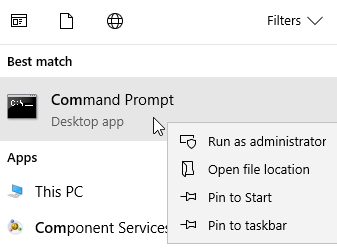
You must select Run as administrator when you open the Command Prompt.
Example
then, Run the Registry Editor regedit.exe and browse to the following path:
HKEY_LOCAL_MACHINE\SOFTWARE\Microsoft\Office\xx\Common\FilesPaths
Where xx is your version of Microsoft Office.
then delete or rename the mso.dll registry entry.
See Altium's Instructions:
Procedure for Installing 64-bit MS Access Database Drivers alongside 32-bit MS Office
Altium Solution #3 is Only for Office 2007
The procedure to install the 64-bit Microsoft Access Database Engine (2010) first, followed by the 32-bit version (2007) of Microsoft Office, is as follows:
- Uninstall all 32-bit Office installations (including language packs and so on). If you have installed the 32-bit Microsoft Access Database Engine 2010, or 2016, you must uninstall this too.
- Install the 64-bit Microsoft Access Database Engine 2010.
- Reboot your computer.
- Test if your 64-bit Altium Design Software works with Database Libraries.
- Install the 32-bit version of Microsoft Office (2007).
- Reboot your computer.
- Test if your 32-bit Altium Design Software works with Database Libraries.
Solutions for Office 2007 and AD17 / AD18 DBLib Access databases.
Solution 1
You may need to uninstall all existing Access Database Engines, then reinstall the 32-Bit Microsoft Access Database Engine.
And then install 64-bit Microsoft Access Database Engine (2010) from the Command Prompt using the / passive switch.
Solution 2
I used a variation of the Altium Solution #3 for Office 2007.
I had trouble completing the uninstall for Office 2007. I used a Microsoft easy fix tool to completely uninstall Office 2007 and clean up the machine's registry.
Look for Option 2 Download at: Uninstall Office from a PC
That's it !