Saturday, May 23, 2015

Use Company Part Numbers

By default Parts uses a unique incremented 'ID' to link the database to an Altium design.

Example DBLib or SVNDBLIB with Single lookup key set to use the ID field.


Using a unique key (ID) allows database parts to be linked to a design without the need to create company part numbers. 

Company part numbers can easily be added before or after the design is released when a unique key (ID) is used as the lookup field.


For greater flexibility I highly recommend using the unique ID as the lookup key.


Suggested reading: PLM


In Parts MCN = Material Control Number (company part number)


That's It !

Saturday, April 11, 2015

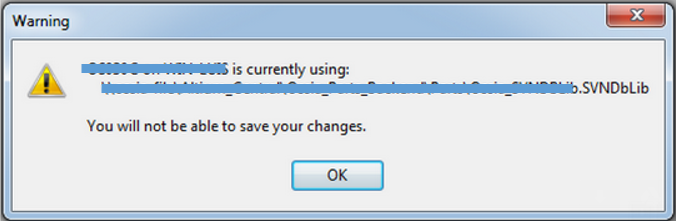
Warning - File Locking

Problem: Altium Warning - You will not be able to save your changes


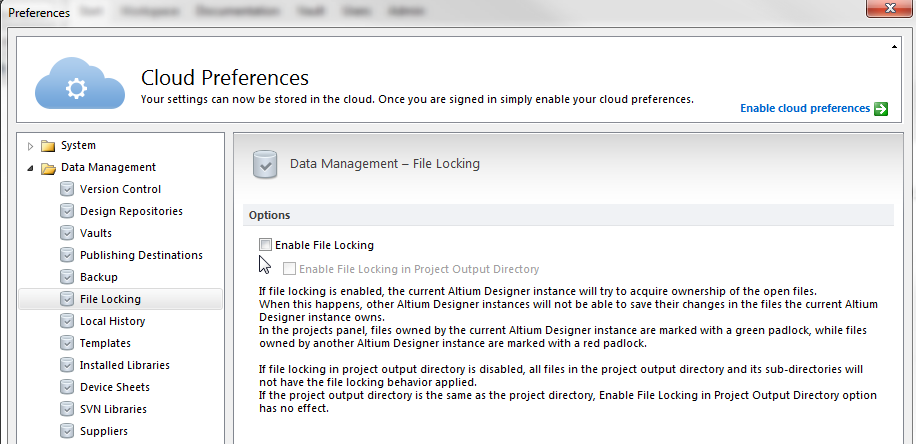
Fix: Disable the File Locking Option in DXP Preferences

Tools > DXP > Preferences File Locking


click on image to view


That's It !

Friday, April 10, 2015

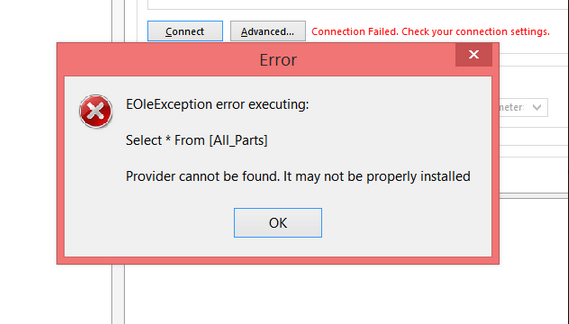
EOleException error executing

Provider cannot be found . . .

EOleException error raised in Altium DBLIB or SVNDBLIB when connecting to an Access Database.

Provider cannot be found. It may not be properly installed.


For AD17 and older 32bit versions of Altium DXP.

To fix this connection error install a 32 bit AccessDatabaseEngine.exe

Download 2010 AccessDatabaseEngine.exe

or
Download 2016 Access DatabaseEngine.exe

Read:

The 'Microsoft.ACE.OLEDB.12.0' provider is not registered on the local machine - ConnectionStrings.com

That's It !