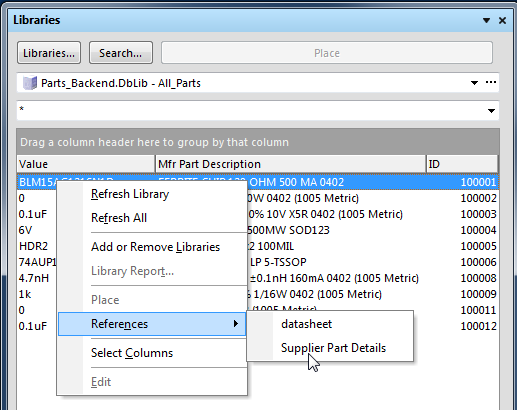
The Parts database supports links to datasheets stored on local drives or the internet.
I prefer to use links to datasheets on the internet when possible because locally stored datasheets will be outdated when the manufacturer revises datasheets.
To support a relative path to locally saved datasheets the 'Datasheets folder'
and 'Parts_Backend' folder should same parent folder as shown below.
'Datasheets' folder shown below is relative to the Parts Backend folder.
Select the datasheet folder button to view locally saved datasheets.

If you wish to open locally save PDFs from Schematics or the Libraries Panel uncheck the Datasheet option in the Configuration Options and save the Configuration.
The Datasheet Folder option can be toggled (checked then unchecked) after moving the datasheet folder to update the full path to the local datasheets.
Tip: Access has as text field size limit of 255 characters, this is rarely a problem. However storing the backend database and local datasheets in a folder with a short path is advised.
Why would you want to use a Relative Datasheet folder ?
When working with multiple customers using the Relative Datasheet Folder is a good choice.
If your are an independent contractor or a service bureau absolute file paths to datasheets on your drive will not be beneficial for your customers.
Tip: You can keep completely separate Backend databases for each customer, including the datasheets, footprints and symbols.
Locally stored datasheets can used in situations where the datasheet is proprietary, in a preliminary status, or not available on the internet.
Website URLs
You can drag and drop a URL links from your favorite browser to the 'Link 1 URL' or 'Link 2 URL' fields.
Tip: You will never have file locked issues when using URL links to datasheets.
That's It !